case study
outdoorsy
design system
Outdoorsy’s digital experiences were in need of UI
consistency. A brand refresh initiative gave myself
and the team an opportunity to create a modern
design system.

Challenge
build a modern DESIGN SYSTEM
Outdoorsy had 5 different design libraries in various platforms. There were over
200 variations of buttons alone. This challenged everyone on the product team
from designer to developers. I led the initiative to modernize Outdoorsy’s design
system using Figma and design tokens. I also took this as an opportunity to create a
single source of truth for user research, brand principles and content guidelines.
GUIDED BY THE LIGHT
In order to set a proper foundation I co-facilitated a working session to define our
Experience Principles– values to create a shared vision. This involved the design
team, user research, brand leaders and select product leaders. The team ideated
around customer needs and leveraged the expertise of different disciplines to validate
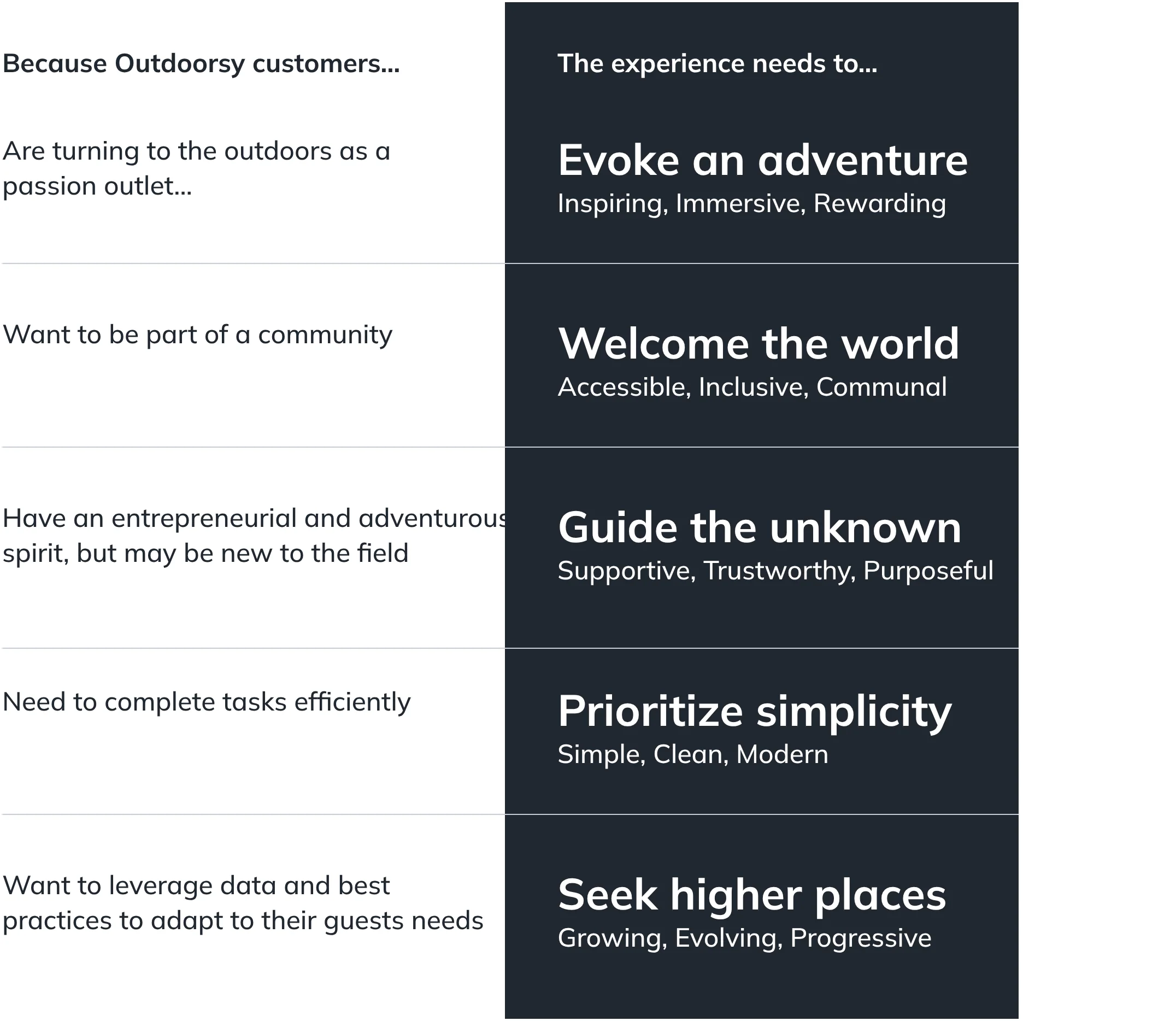
these needs. These core needs were turned into 5 principles that not only guided the
design system but Outdoorsy’s digital and physical experiences as well.
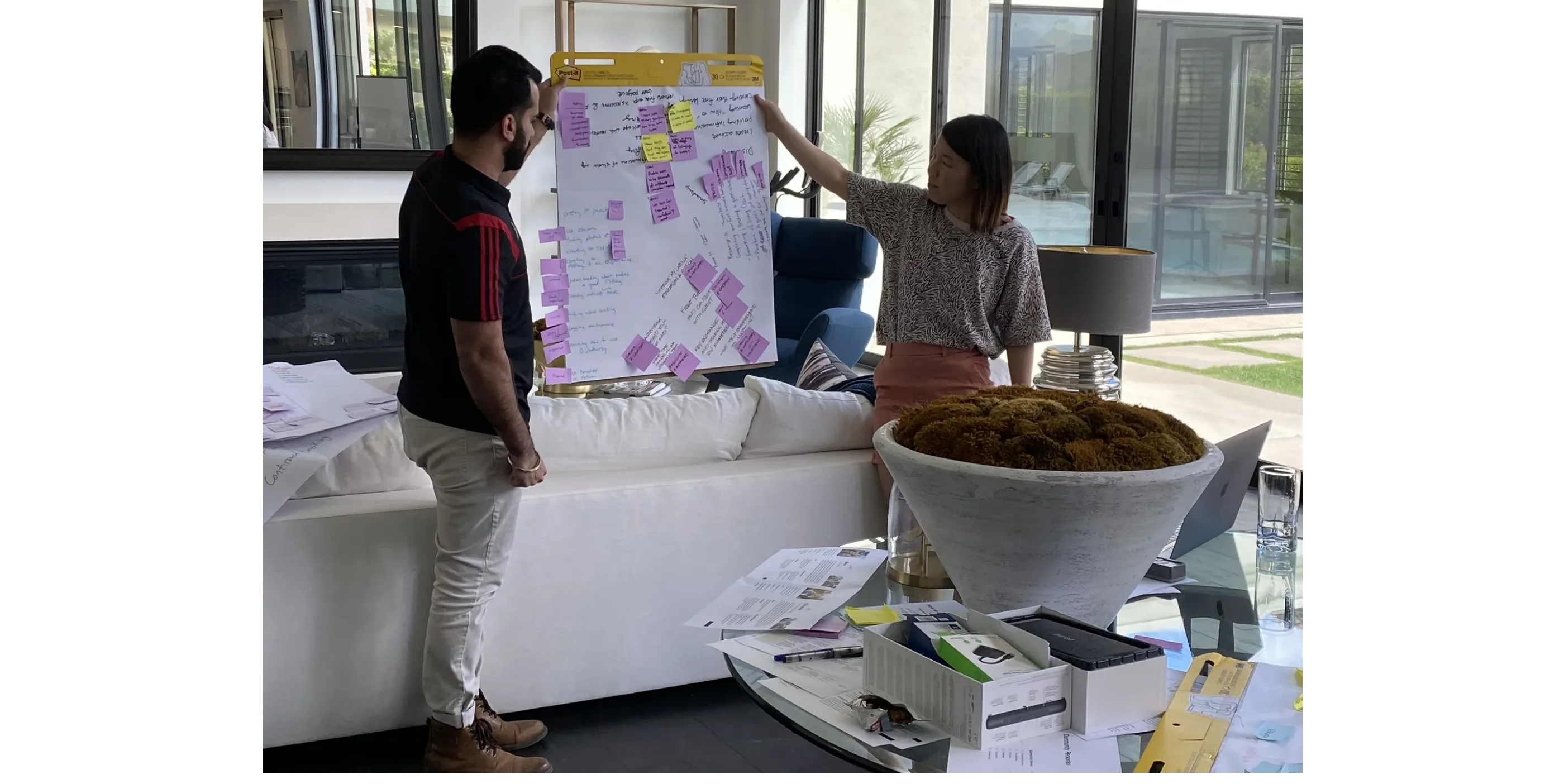
Above: A team of two Outdoorsy employees present their ideas on core customer needs during a facilitated workshop.
Do you prefer the calming waves
of a tropical beach or the daring
cliffs of a snow-covered
mountain? The narrow canyons of
the high desert or the sprawling
fields of a music festival?
Whatever your preference, the
outdoors caters to you.
Our digital experiences embody
that same inclusion and invitation
of diversity. From the words we
choose, to the images we use—
everything we build is intuitive,
accessible and representative of
all people, regardless of their
differences. We believe that
nature welcomes the world, and
so do we.
Welcome
the world.
Accessible
Inclusive
Communal
Above: Outdoorsy’s five experience principles were expanded on, given key visuals and disseminated throughout the company.
TAKING INVENTORY
In order to help understand the existing component landscape I had several team
members pull together existing components into a comparison grid. This helped
the team to assess how deep the new system needed to go. This also provided
strong evidence to get the project properly funded and resourced.
Above: Comparison grid of existing Figma components. This helped identify gaps and usable components.
ALL FIRED UP
One of my goals with this project was not only to provide better tools and
guidelines for the design team but to educate and excite the entire organization.
One method for generating excitement was to host a logo contest for Bonfire– the
agreed upon name for Outdoorsy’s design system.

Above left: Winning employee submission for the design system logo.
Above right: Refined logo.
GROUND WORK
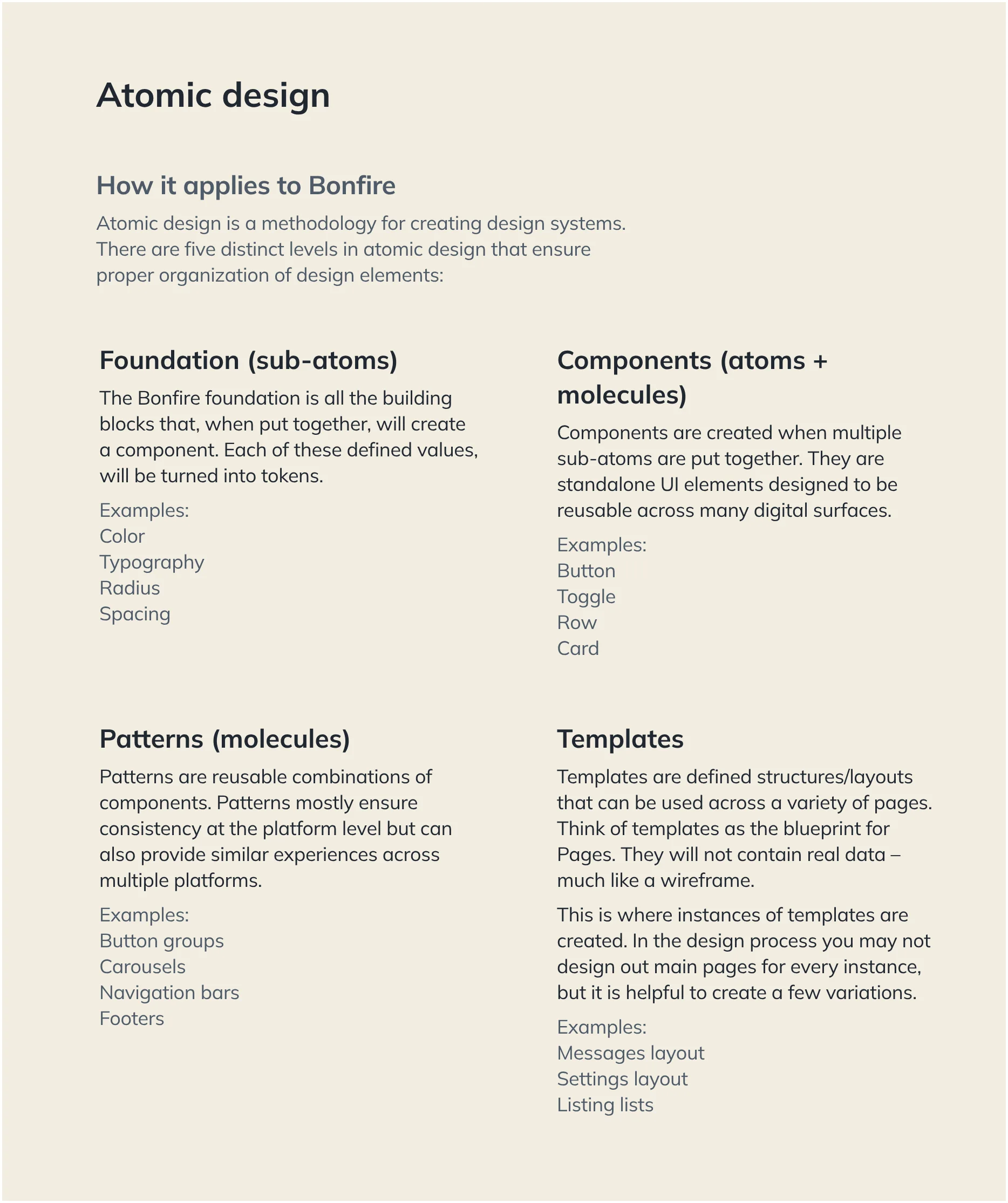
With varying levels of knowledge about design systems on the product team it was
important to create a baseline of knowledge. Creating clear definitions around
components, patterns and templates helped the team better understand the design
system and provided clarity when discussing approach and execution.
POWERED BY TOKENS
In order to make Bonfire work efficiently for both the design and development teams
we decided to use design tokens. Design tokens give names to static values that are
housed in a single source of truth. In Outdoorsy’s case this is Figma. This sets
Outdoorsy up to make design changes very quickly to production environments
while eliminating any design inconsistencies amongst components.
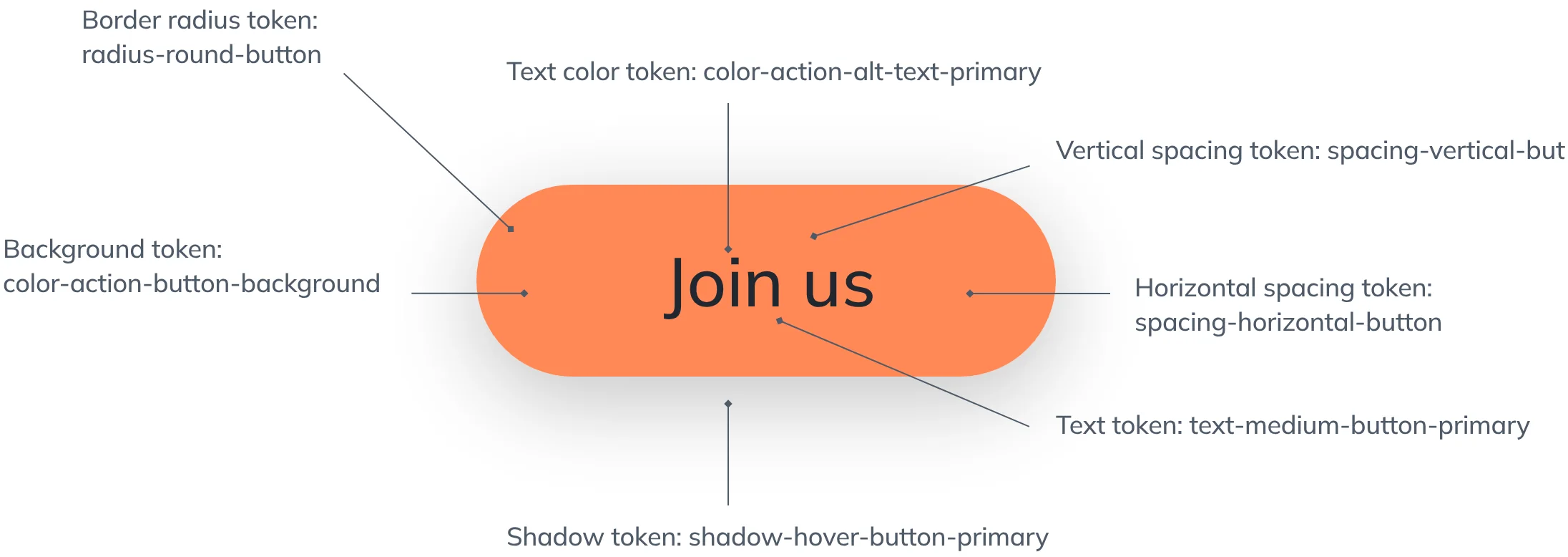
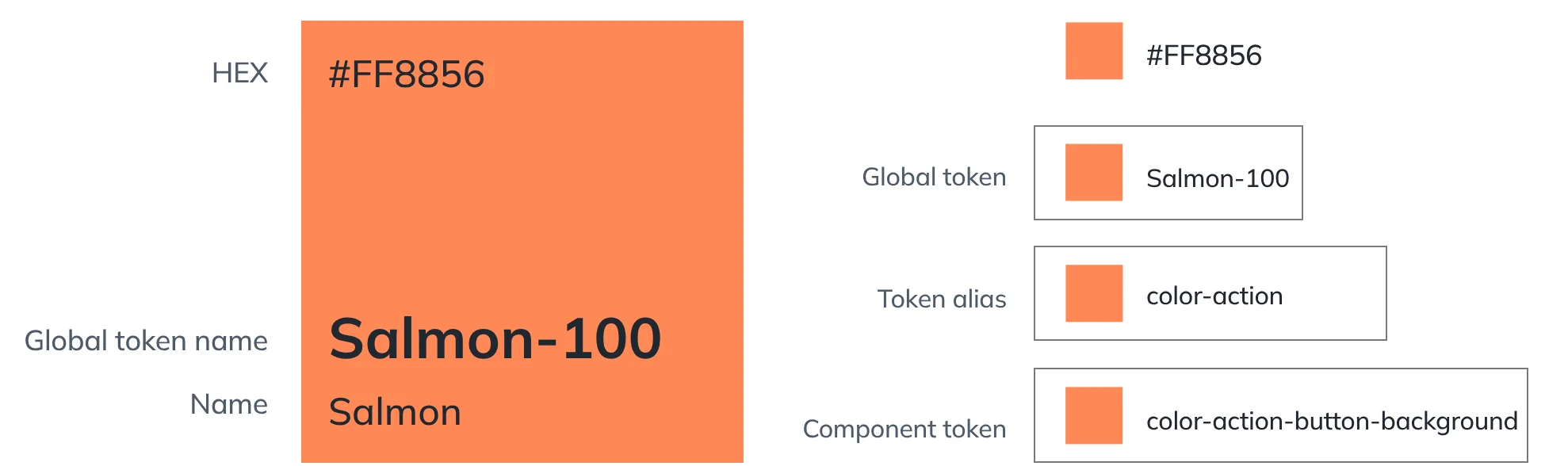
Above: As part of a modern design system foundational elements and values were defined and ‘tokenized’.
CREATING ORDER
Designing the structure of Bonfire was something the team wanted to get right.
We realized that our system needed not just consistent components but design
definitions that cascaded throughout our digital properties. By setting up a
foundational library at the core (brand color, logos, typeface, etc) we were able
to layer on platform + property specific libraries. These specific libraries are
consistent yet allow for flexibility contextual to a particular property.
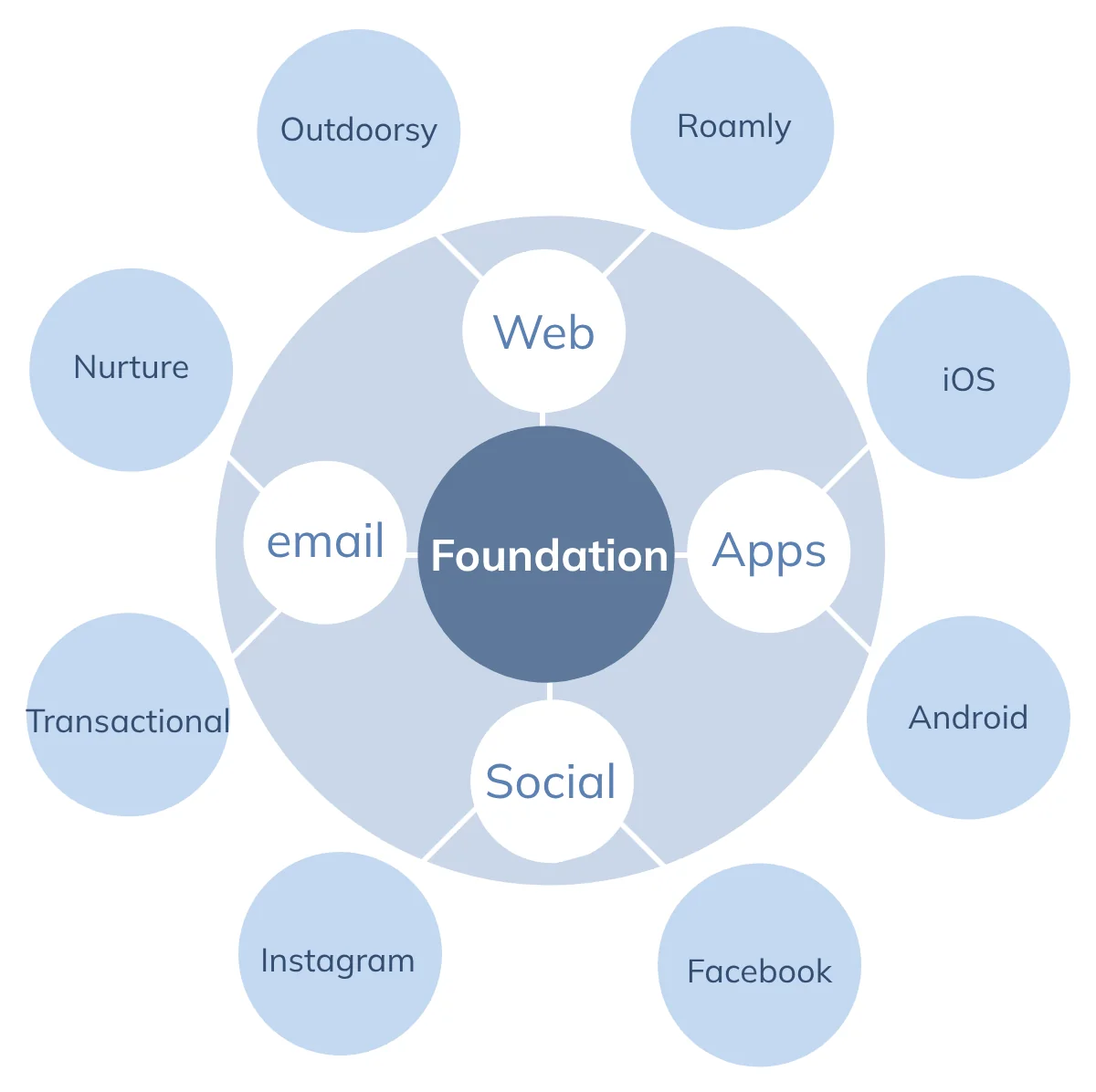
Above: A diagram showing the structure of Outdoorsy’s design system.
PRESSURE TESTING
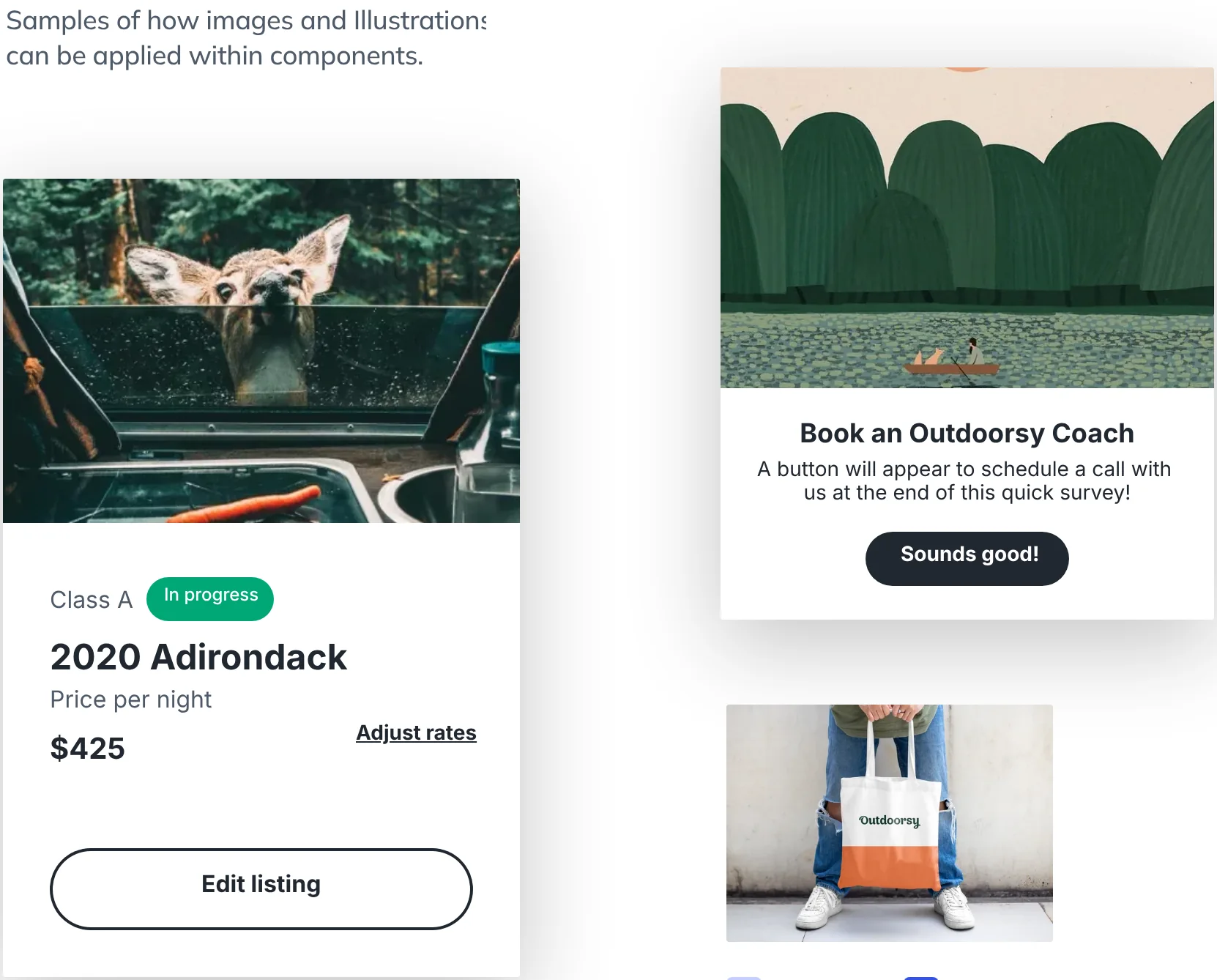
Once our structure had been established, the team took to the lab and began
experimenting with a new look and feel. Through iterative design cycles the
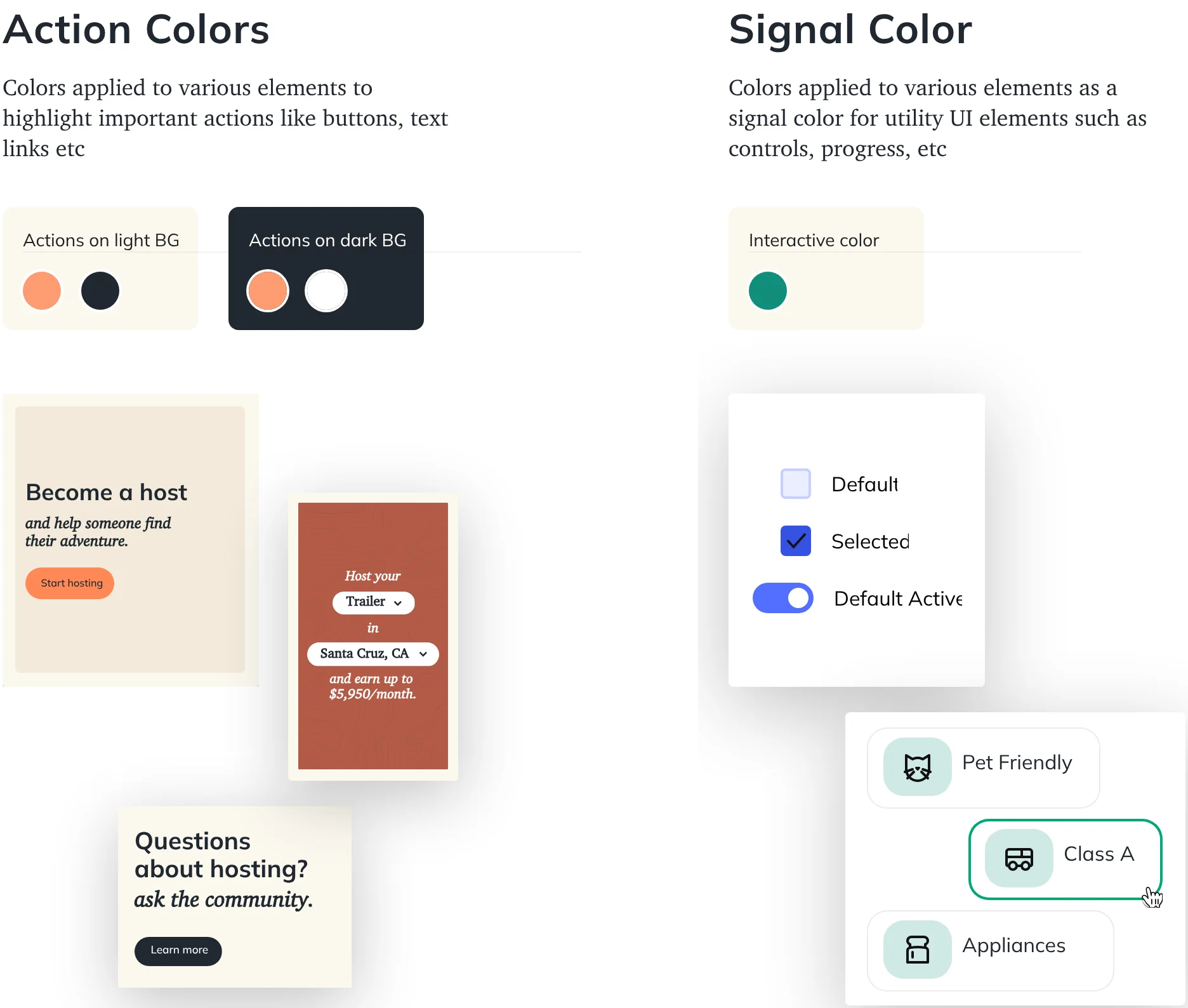
team shook out with colors and textures inspired by nature. We outlined specific
opportunities to create surprise and delight with our color choices, textures
and imagery.
Foundation
Colors in design
Samples of how the color can be applied
across the interface.
Foundation
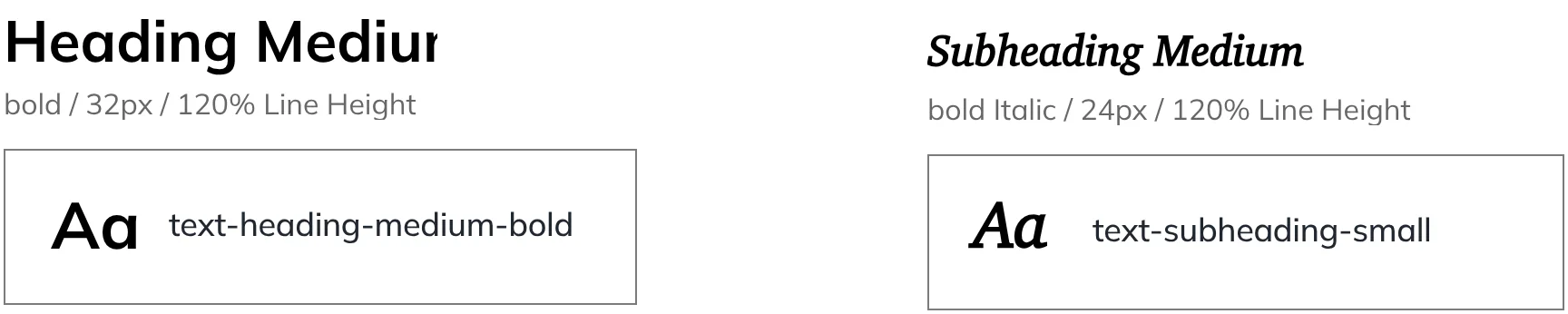
Typography in design
Samples of how the typography can be
applied across the interface.
Foundation
Imagery and Illustration
Default
Selected
Default Active
APPLIED EXPLORATION
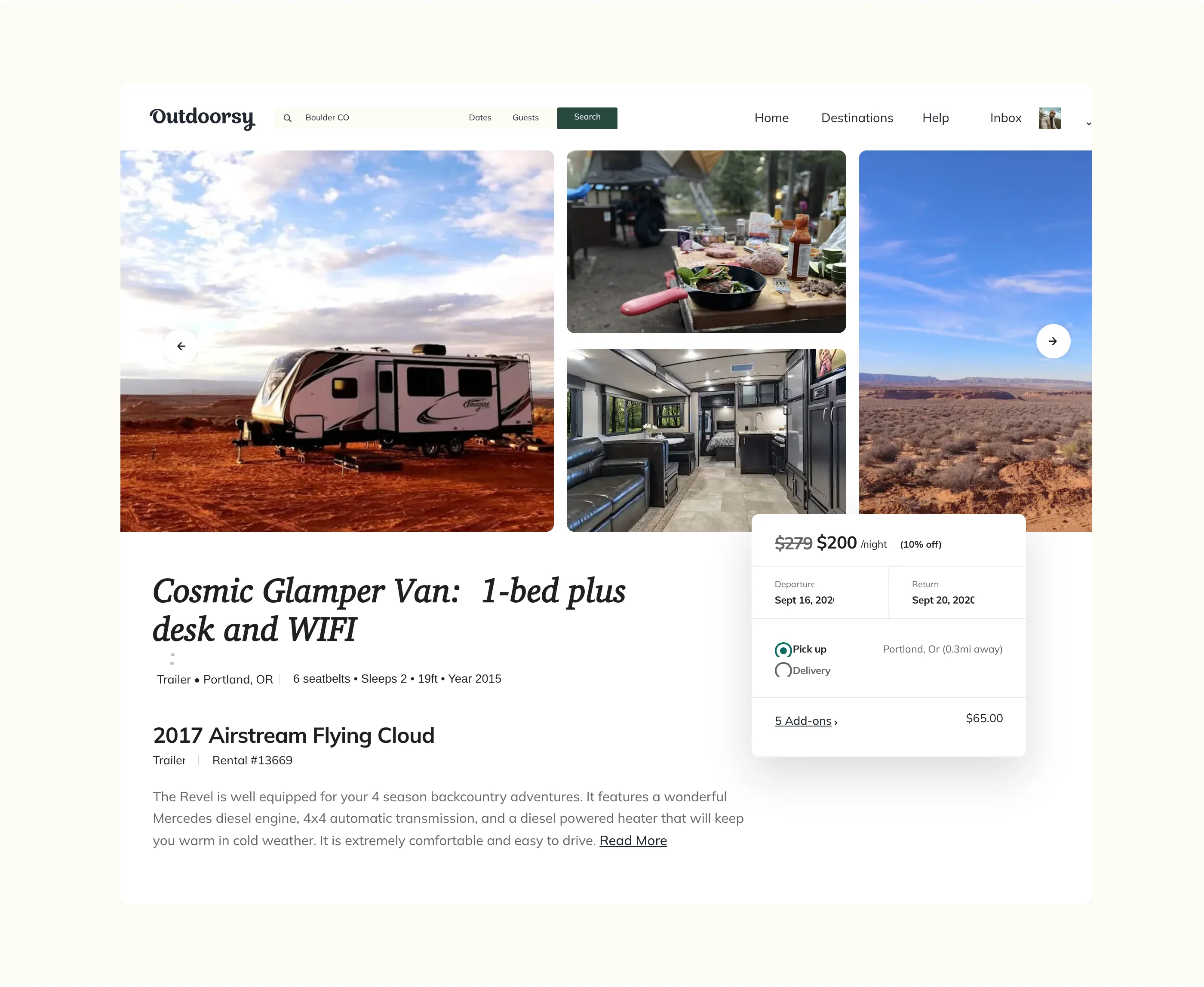
After the core design decisions were finalized the team began to create a token
library in Figma. From there the team took existing content and functionality and
created new components and templates for Outdoorsy’s web experience.
ALL IN ONE PLACE
Designing and developing a comprehensive design system is one thing, providing
universal access to findable components is another challenge. For this reason I
researched a variety of Content Management System specifically created for design
systems. The team ended up selecting Zeroheight as Bonfire’s CMS. Here we
organized and linked to our components, provided governance guidelines, included
writing and brand guidelines and allowed team members to post questions to the
creators of the components.
RESULT
This initiative has set Outdoorsy up for success on many fronts. The foundational
elements were defined and tokenized. This came hand in hand with a significant
rebrand effort. The design system is allowing for better brand voice and consistency
across the entire ecosystem. My team was able to complete a redesign of the web
experience. This was completed with an accessibility evaluation to ensure the new
experience passes WCAG 2.1 compliance.
The Bonfire CMS now allows for anyone in the organization to access brand
documents, design system usage guidelines, writing style guides and brand usage
guidelines.
Outdoorsy’s front end development team now works hand in glove with the design
team to push new components and quickly tweak existing UI. This can all happen in a
matter of minutes once approved.